
You can configure different presence status based on business hours and holidays. In this way, the extension presence will automatically switch to the preset status based on the time.
Requirement
System administrator has set up business hours and holidays.
Procedure
- At the top-left corner of Linkus, tap your account.
- Go to Settings > Advanced > Switch Business Hours Status.
- Configure the presence status based on the time:
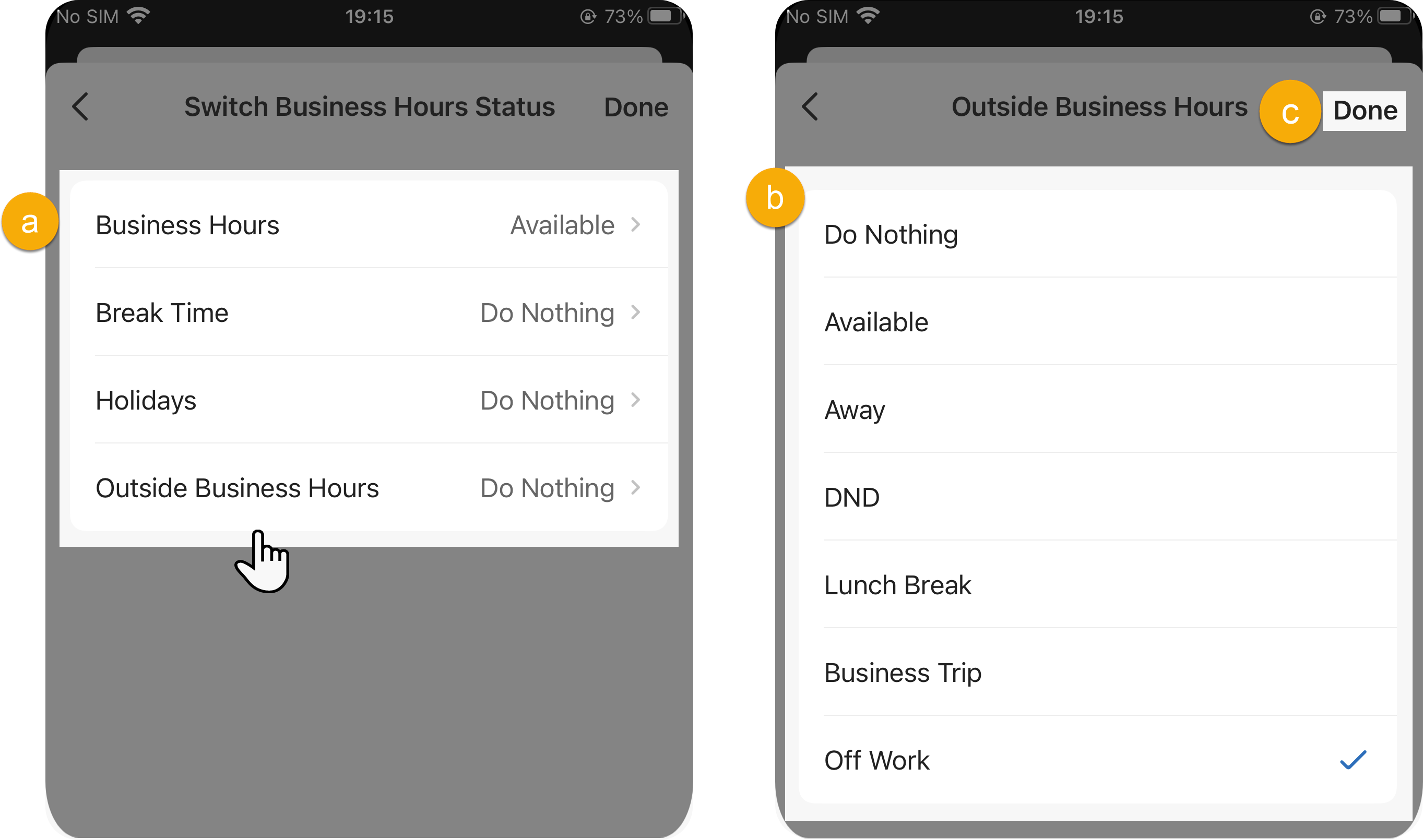
- Tap the desired time.
- Select a presence status for the time.
- At the top-right corner, tap to save the setting.
Result
Presence status will be switched automatically according to the business hours and holidays.
For example, if 6 pm / 18:00 is the end of the working day, then the presence displayed on Unified Calling will be switched to the corresponding status of Outside Business Hours.