
This topic describes how to mark or remove favourite contacts in the Unified Calling App.
Requirements
Your Unified Calling App version meets the following requirement:
- Unified Calling iOS App: Version 5.5.11 or later
- Unified Calling Android App: Version 5.5.12 or later
Mark a favourite contact
You can mark the desired contacts as favorites for quick location and retrieval.
- In the Unified Calling App, go to Directory > Contacts.
- Find the desired contact and mark him or her as favorites.
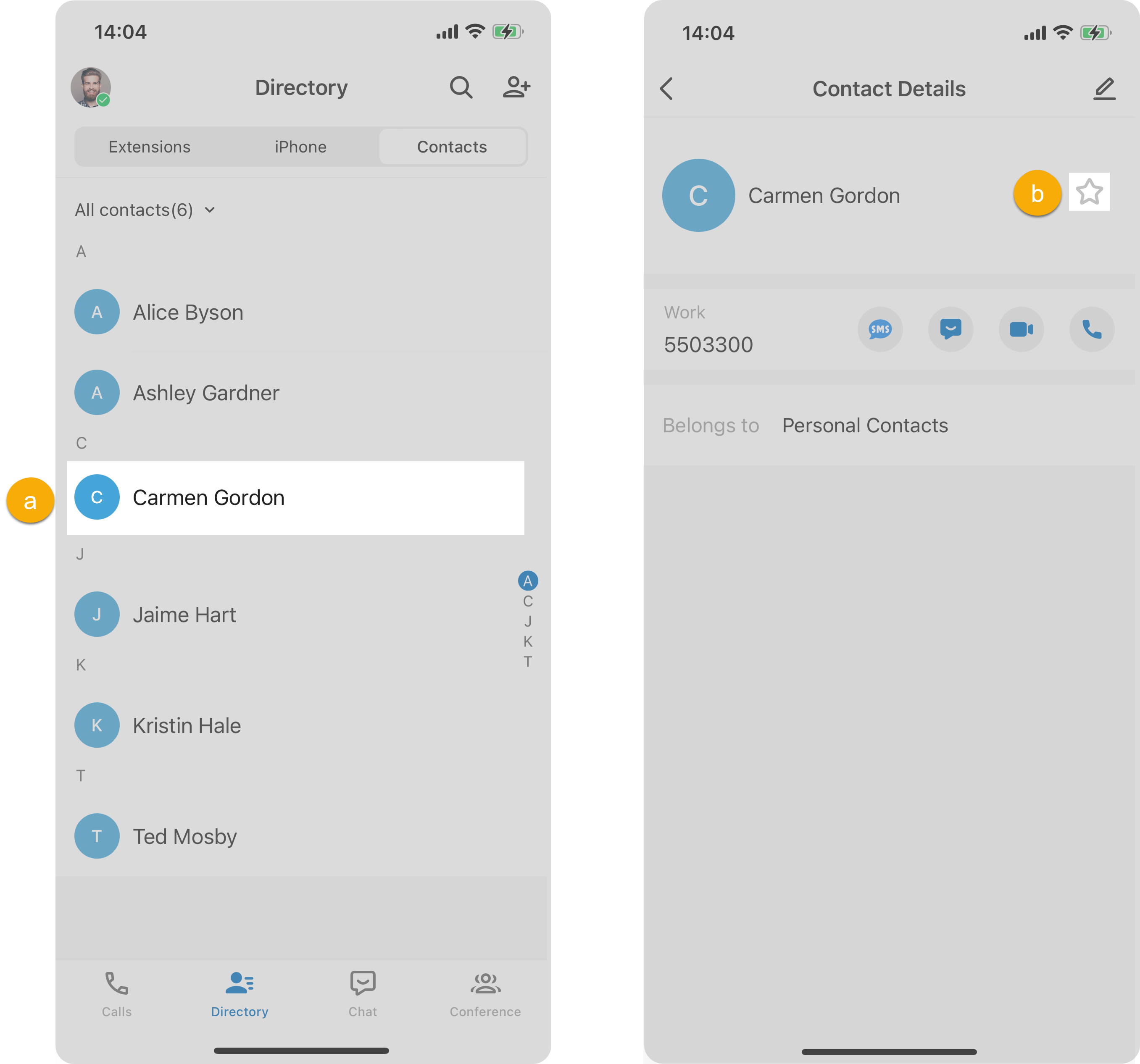
- Tap the desired contact.On the Contact Details page, tap
 beside the contact name.
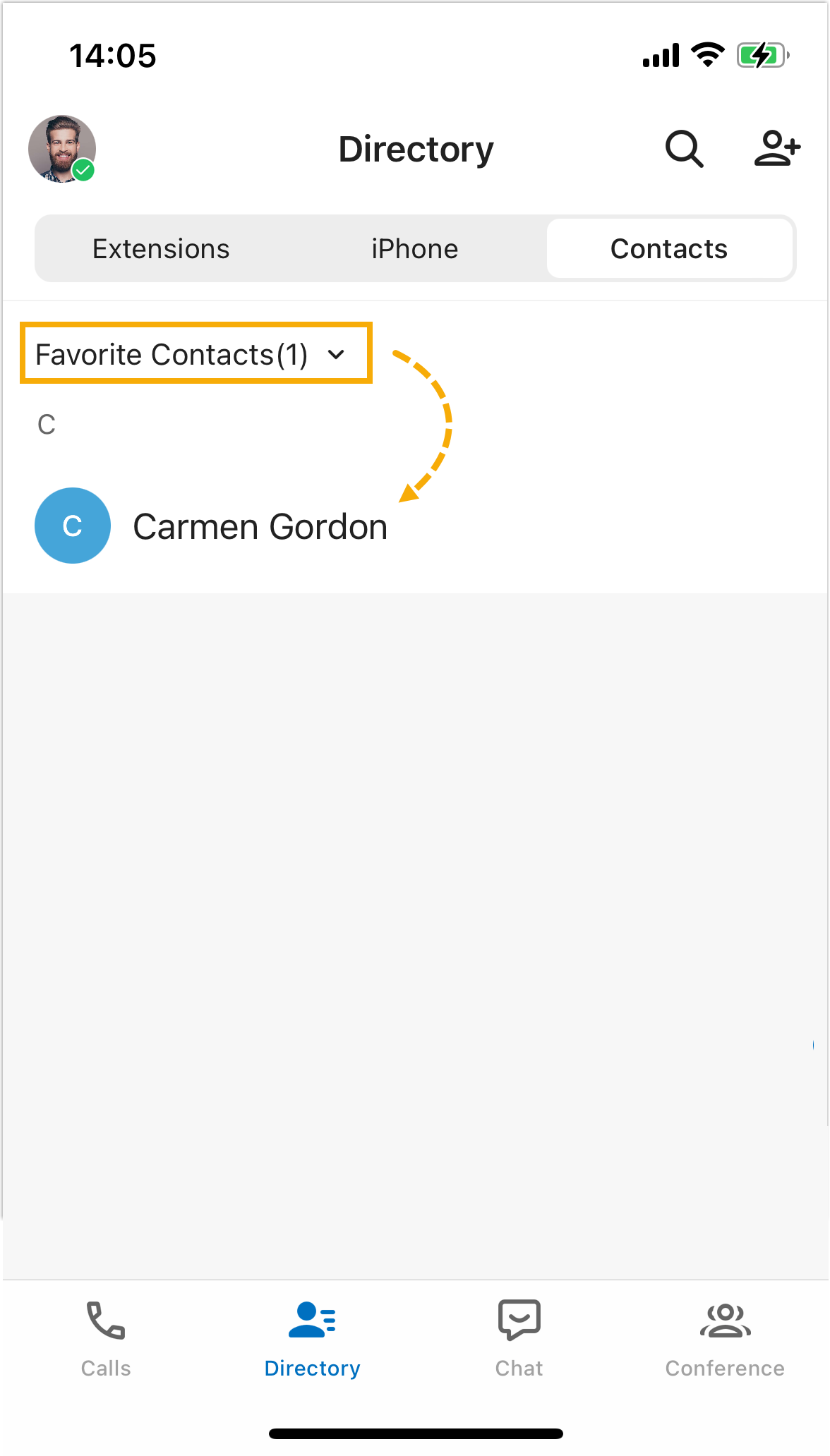
- Tap the desired contact.On the Contact Details page, tap
Remove a favourite contact
- In the Unified Calling App, go to Directory > Contacts.
- At the top-left corner, select Favorite Contacts.
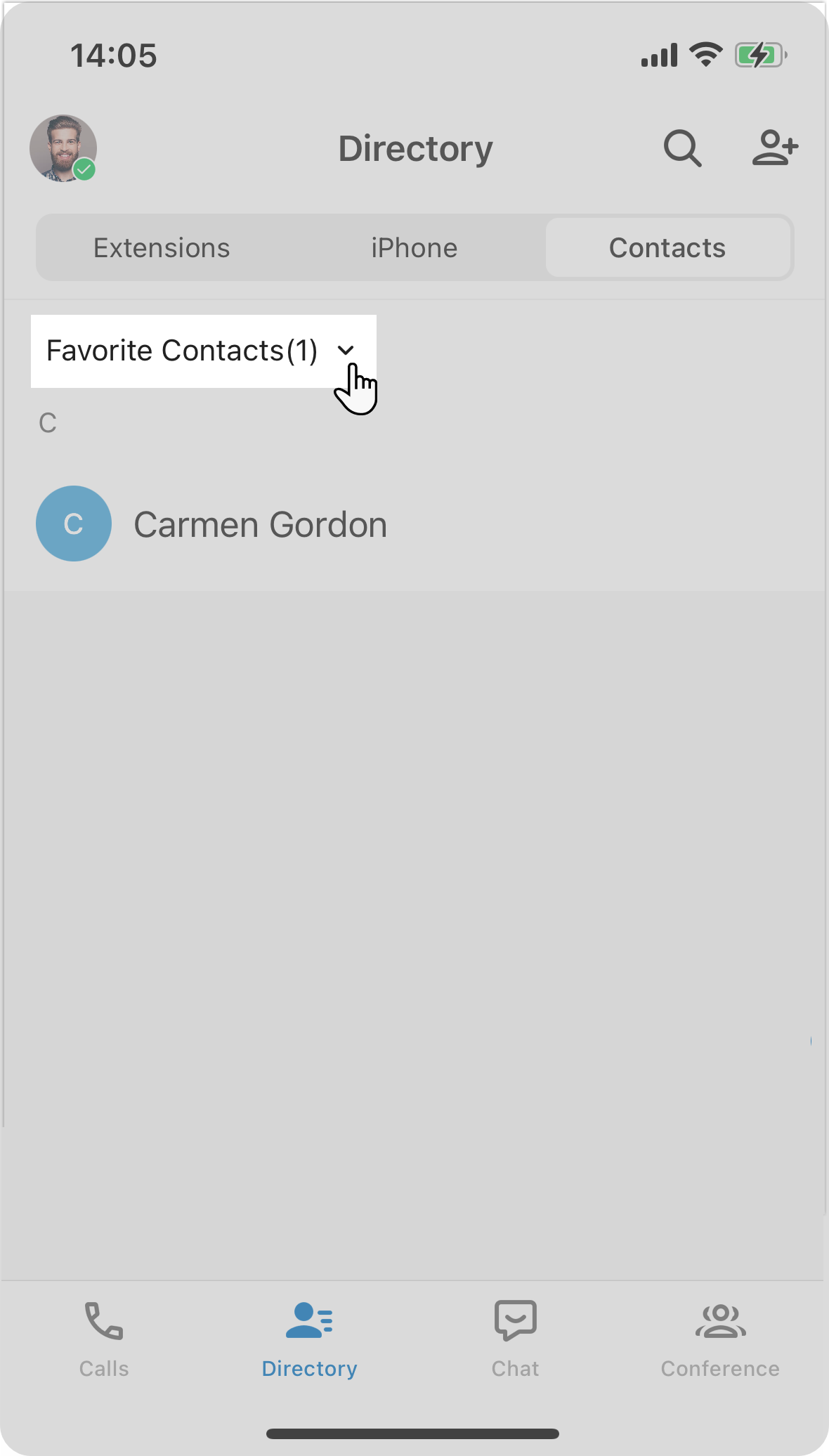
- Tap the desired contact, then tap
 beside the contact name.This contact is removed from your Favorite Contacts list.