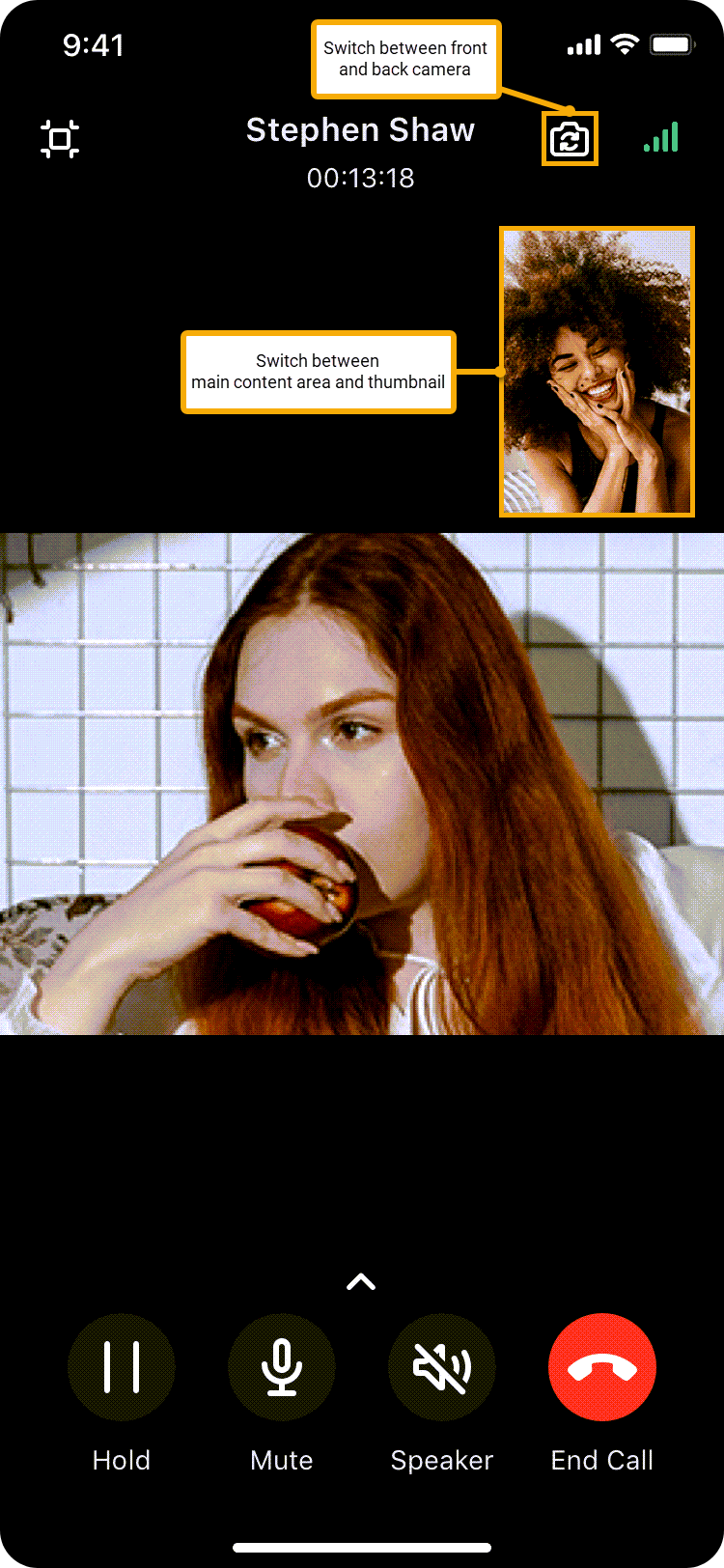
You can make and receive video calls in the Unified Calling App when your mobile phone is connected to the Internet.
Requirements and restrictions
Before you begin, read through the requirements and restrictions for the feature:
Requirements
- Contact system administrator to ensure that your organization meets the requirements:
- Plan = Silver, Gold or Platinum
- Make sure that your Linkus meets the requirement:
- Unified Calling iOS App: Version 5.5.11 or later
- Unified Calling Android App: Version 5.5.12 or later
3 ways to make a video call
You can make a video call in the following ways:
| Scenario | Instruction | |
|---|---|---|
| Make a video call from Directory | ||
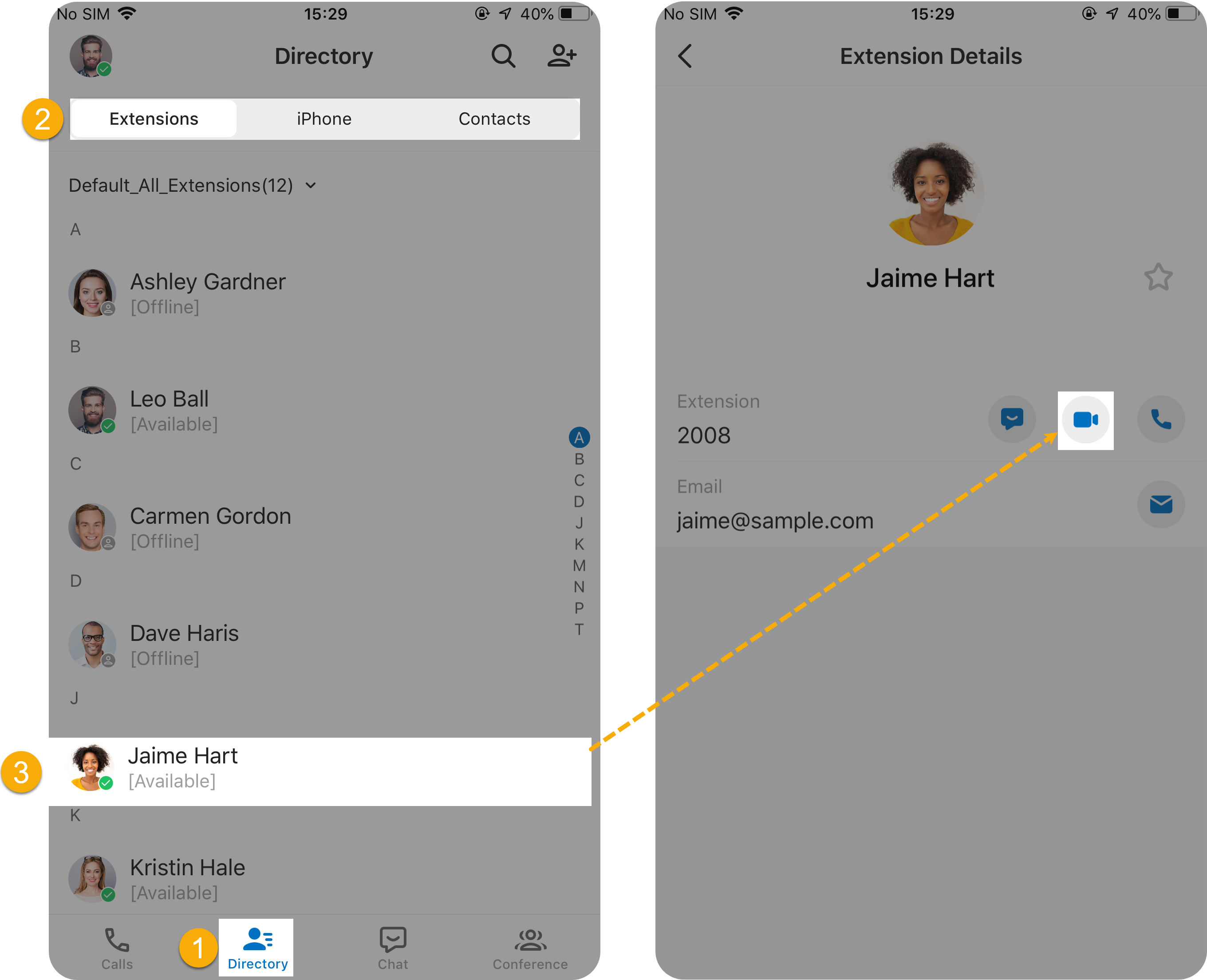 | At the bottom of the Unified Calling App, tap Directory. Tap the desired tab. Tap the desired contact, then tap  . . | |
| Make a video call from Chat | ||
Figure – Method 1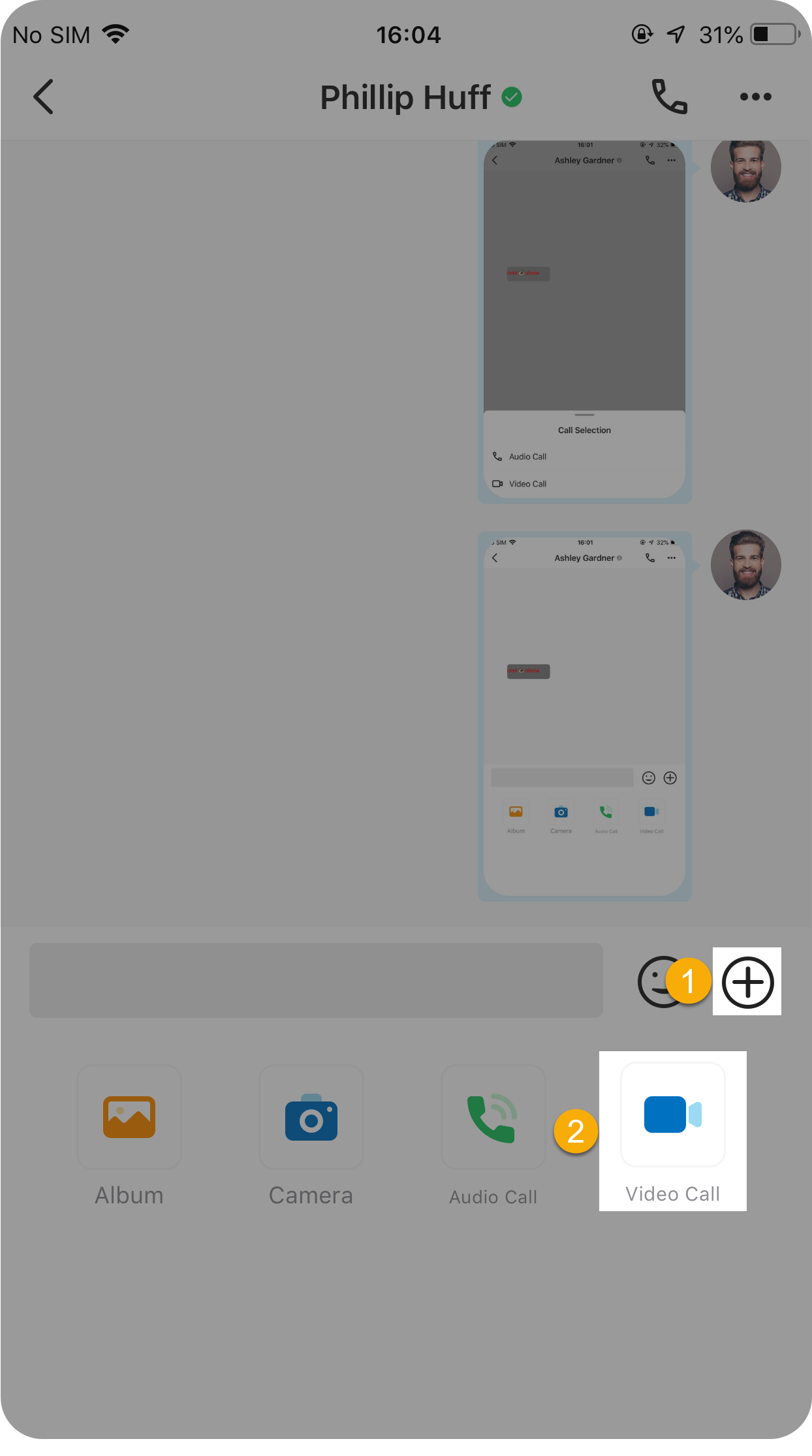 | Figure – Method 2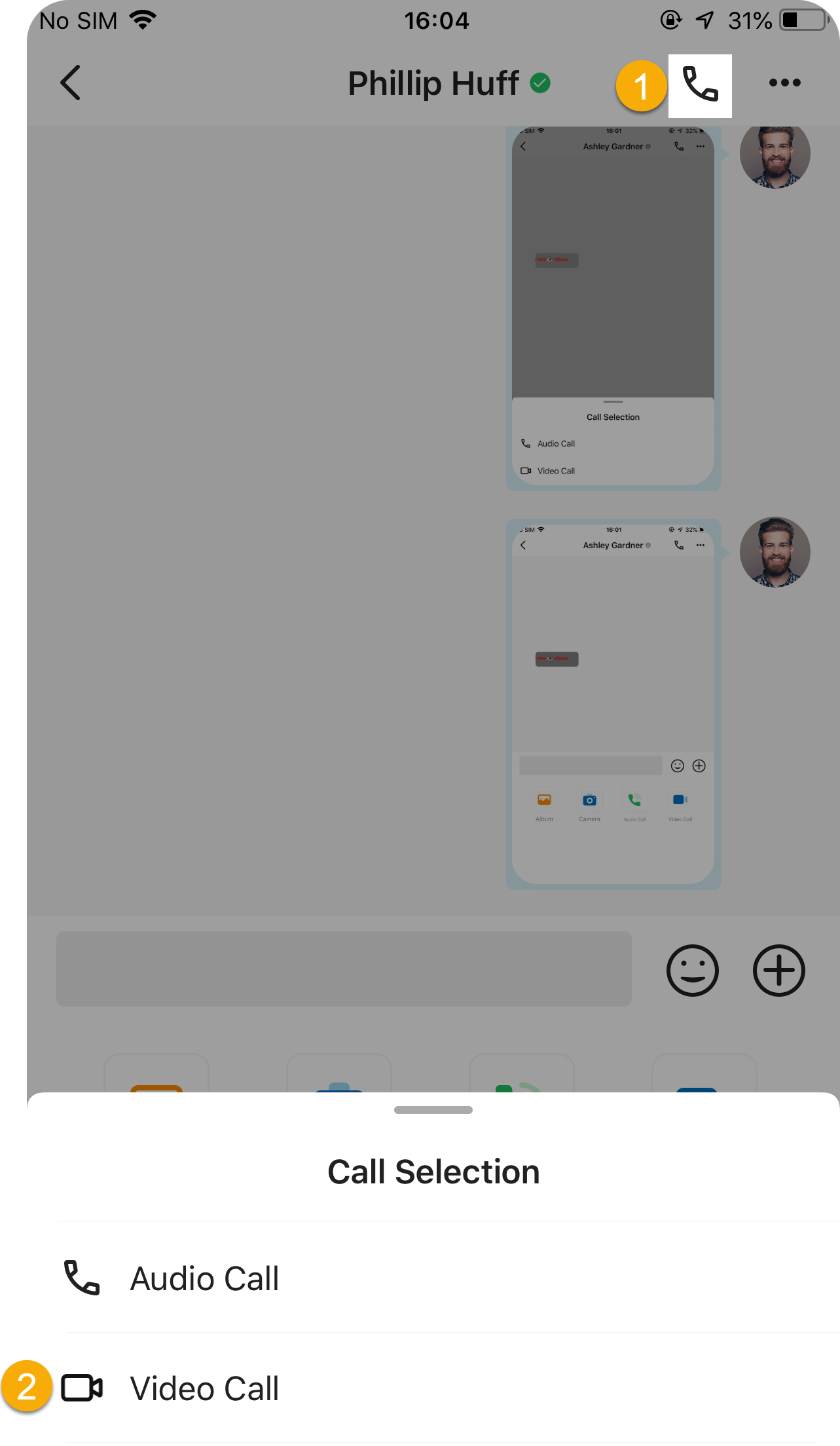 | There are two ways to make a video call from your chat: Method 1 At the bottom-right corner of a chat window, tap  , then , thentap Video Call. Method 2 At the top-right corner of a chat window, tap  , then tap Video , then tap VideoCall. |
| Make a video call from Call Logs | ||
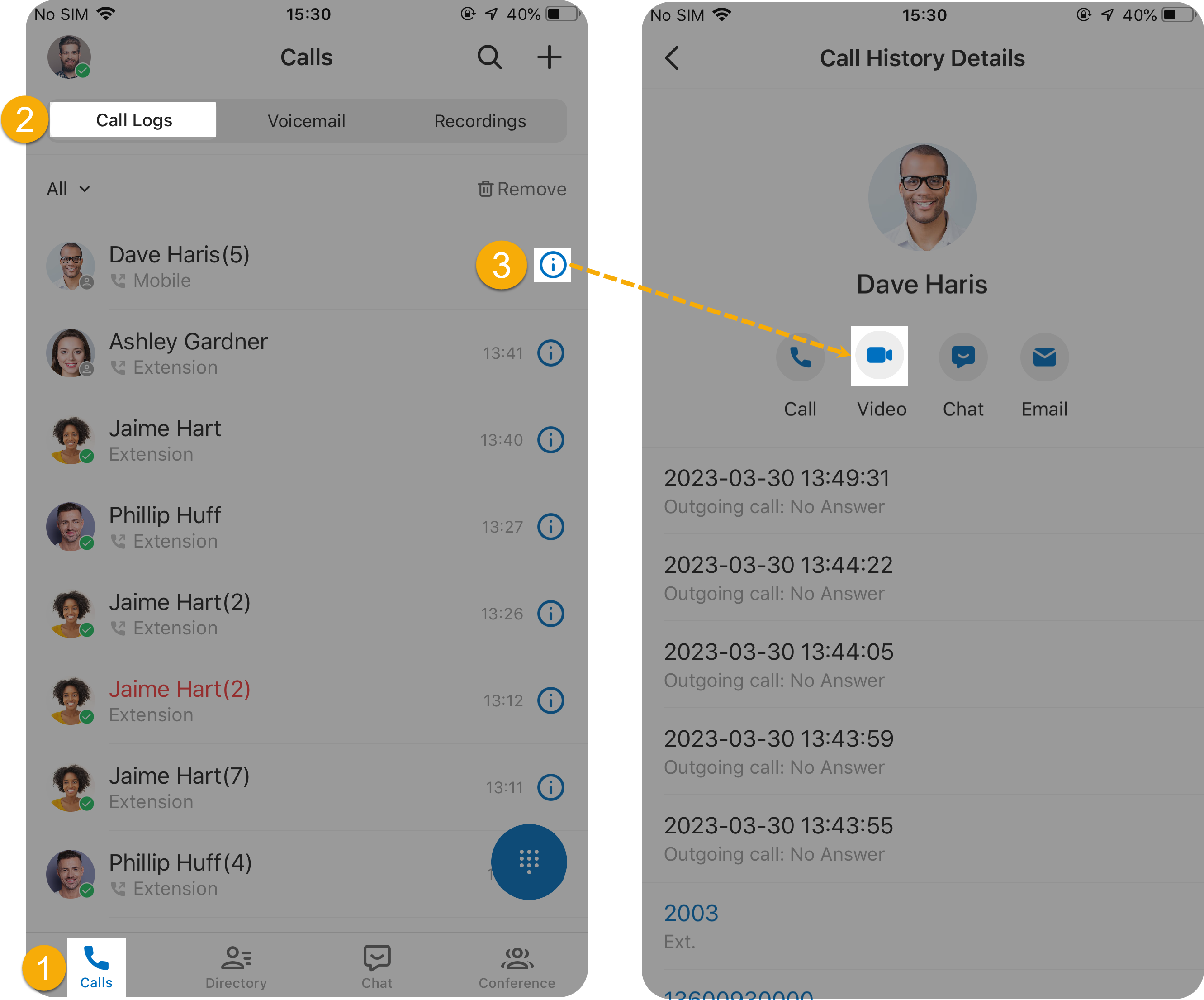 | At the bottom of the Unified Calling App, 1. tap Calls 2. Tap Call Logs 3. Tap  beside the beside thedesired contact, then tap | |
FAQs
Can I switch from an audio call to a video call?
Yes. During an audio call, you can tap the Video icon to switch to a video call.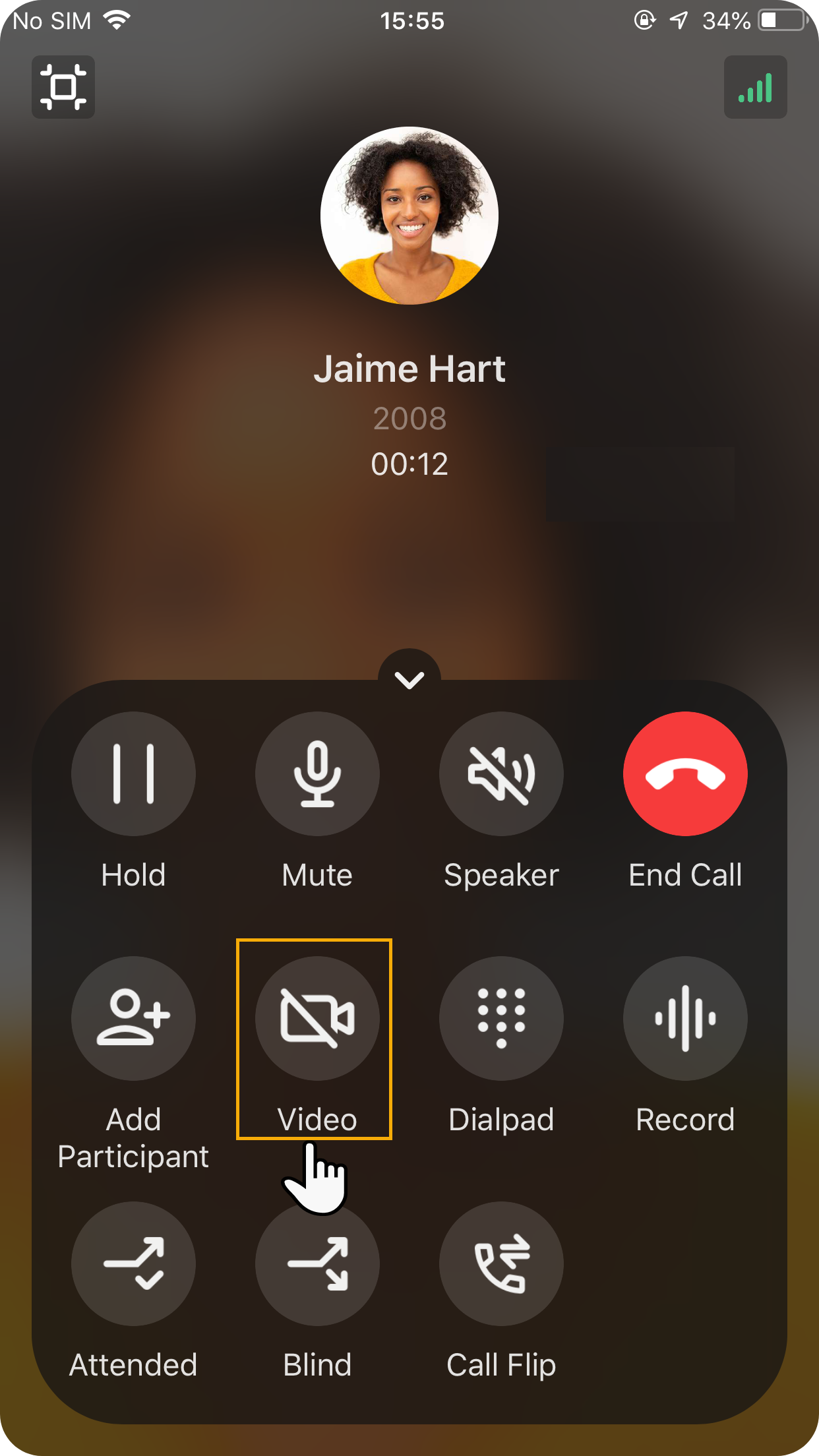
The other party will receive an invitation. When they accept the invite, the video call is established.
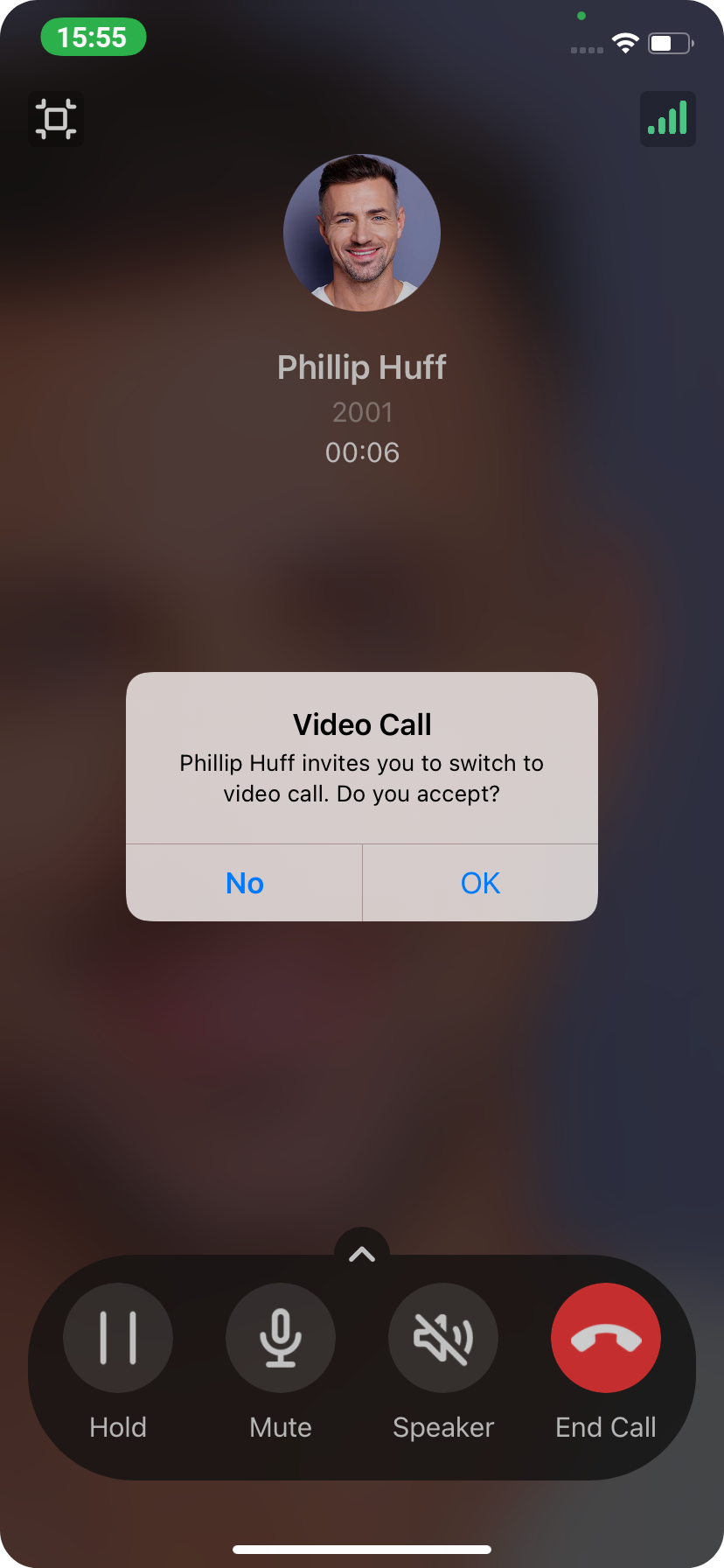
Why there is no response when I tap the Video icon?
The issue may arise from the following reasons:
- Your organization’s is NOT subscribed to Silver, Gold or Platinum Plan.
- ICE (Interactive Connectivity Establishment) feature is disabled in your Unified Calling App. To enable the feature, go to Me > Settings > Audio Options > ICE.
Can I minimize the Unified Calling video call window?
Yes. During the video call, you can tap  to minimize the video call window.
- Note
- If you use Unified Calling App for Android, you will be prompted to grant permission the first time you perform the operation. You need to grant Unified Calling permission to draw over other apps. An example of HONOR V40 is shown below:
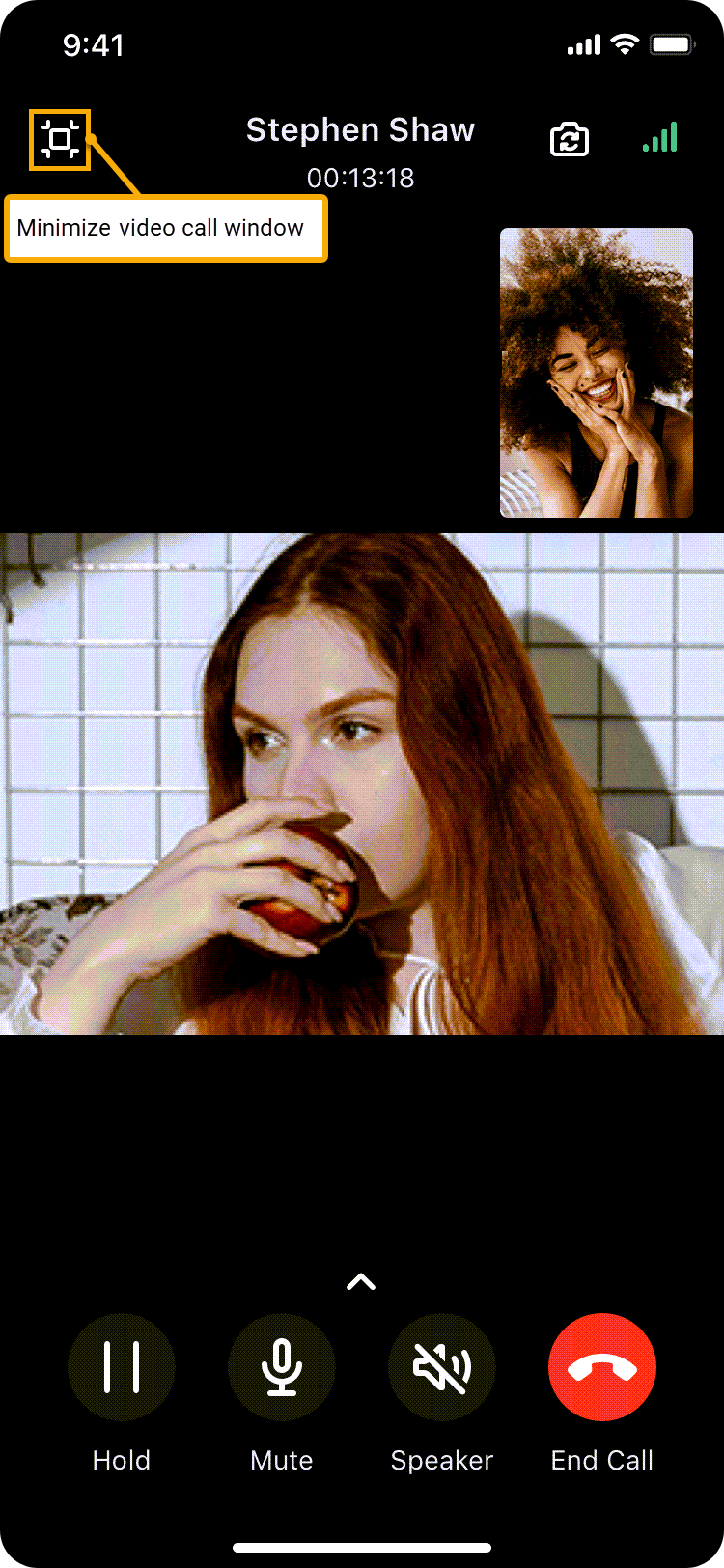 The video call window will display in Unified Calling.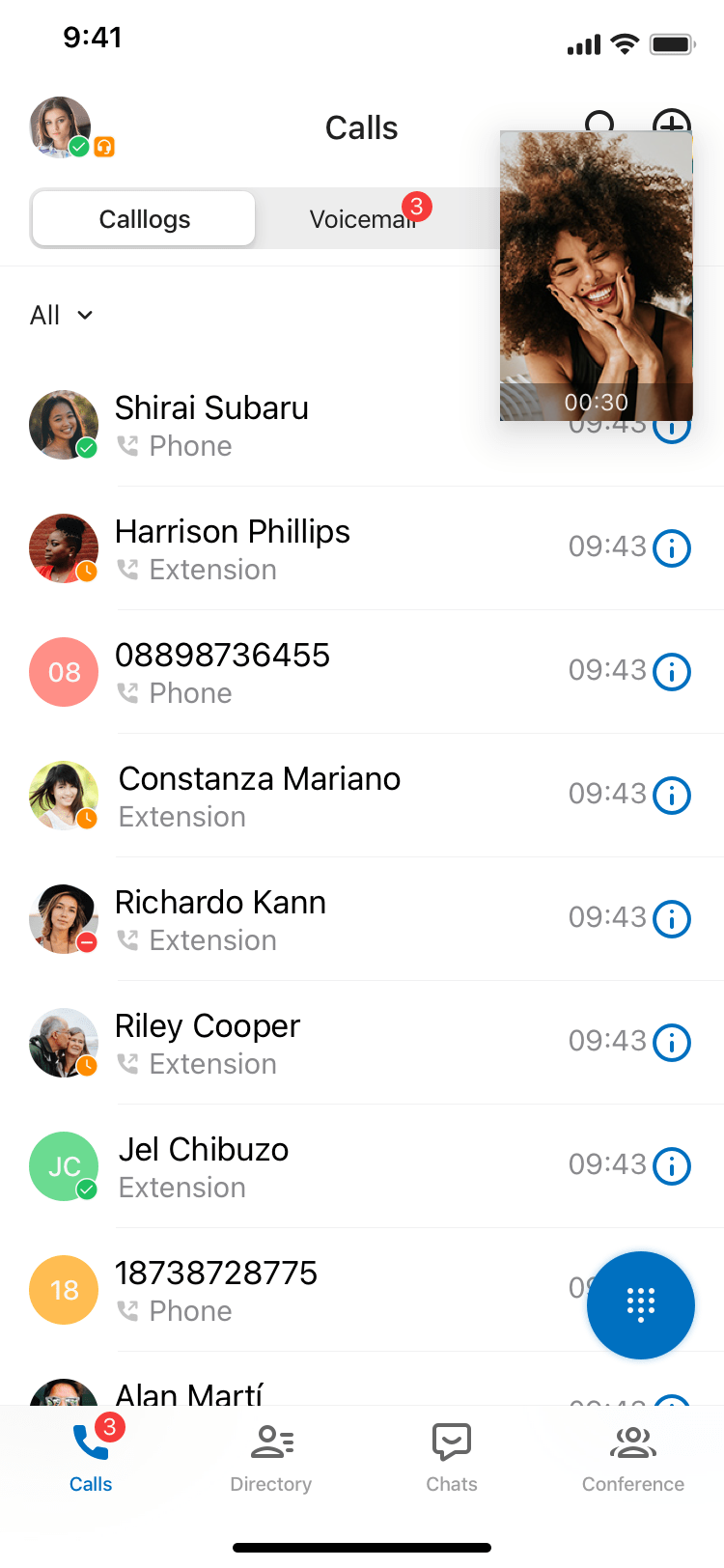
Can I switch views during a video call?
Yes.
- To switch between your front and back cameras, tap
 .
. - To switch between the main content area and the thumbnail, tap the view at the top-right corner.